GitHub Actions vs GitLab CI: A CI/CD Comparison Based on Real Pipeline Migrations
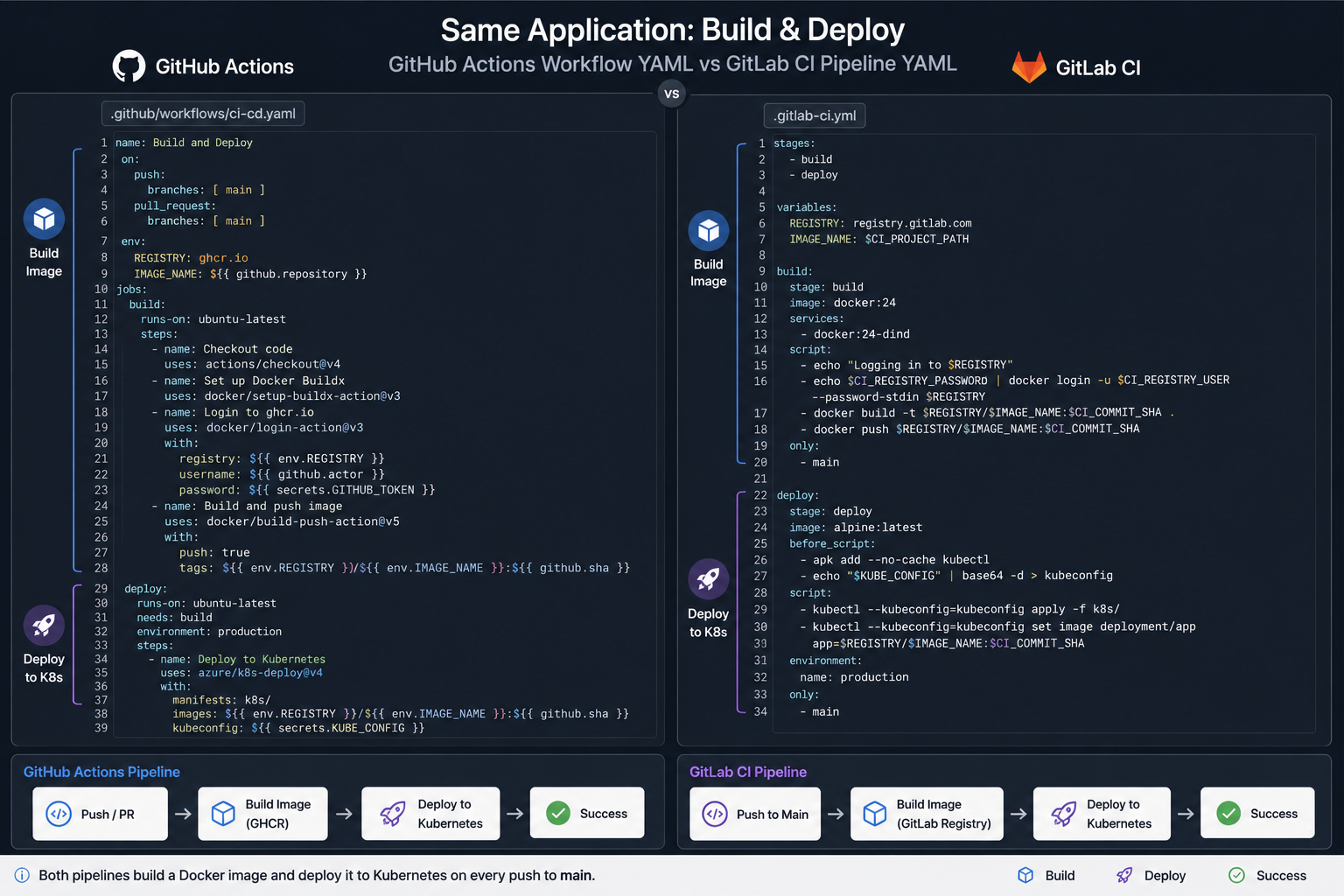
GitHub Actions vs GitLab CI is rarely a technical decision — it's a decision about where your code already lives. But the second-order differences (runner cost model, monorepo handling, deployment gates, secret scoping) are big enough to bite you a year in. Here's the comparison with real pipeline code for both.
Short answer: if your code is on GitHub, use GitHub Actions — the action ecosystem and OIDC-based cloud auth are excellent, and the integration tax of an external CI isn't worth paying. If you're on GitLab, GitLab CI is the stronger native product: better monorepo support, real parent-child pipelines, and a built-in registry and environments. Migrating repositories purely to switch CI is almost never worth it.
Book a free 30-min CI/CD review →
How Different Is the Pipeline Syntax?
Both are YAML, both do the same job, and the mental models differ in one important way: GitHub Actions is event-driven with composable actions; GitLab CI is stage-driven with jobs.
GitHub Actions — test, build, push to ECR, deploy:
name: deploy
on:
  push:
    branches: [main]

permissions:
  id-token: write   # required for OIDC
  contents: read

jobs:
  test:
    runs-on: ubuntu-latest
    steps:
      - uses: actions/checkout@v4
      - uses: actions/setup-python@v5
        with:
          python-version: '3.12'
          cache: pip
      - run: pip install -r requirements.txt
      - run: pytest --maxfail=1 -q

  deploy:
    needs: test
    runs-on: ubuntu-latest
    environment: production
    steps:
      - uses: actions/checkout@v4
      - uses: aws-actions/configure-aws-credentials@v4
        with:
          role-to-assume: arn:aws:iam::111122223333:role/gha-deploy
          aws-region: eu-central-1
      - uses: aws-actions/amazon-ecr-login@v2
        id: ecr
      - run: |
          docker build -t $REGISTRY/app:$GITHUB_SHA .
          docker push $REGISTRY/app:$GITHUB_SHA
          aws ecs update-service --cluster prod --service app --force-new-deployment
        env:
          REGISTRY: ${{ steps.ecr.outputs.registry }}
GitLab CI — the same pipeline:
stages: [test, deploy]

variables:
  IMAGE: $CI_REGISTRY_IMAGE:$CI_COMMIT_SHA

test:
  stage: test
  image: python:3.12
  cache:
    key: { files: [requirements.txt] }
    paths: [.cache/pip]
  script:
    - pip install -r requirements.txt
    - pytest --maxfail=1 -q

deploy:
  stage: deploy
  image: docker:24
  services: [docker:24-dind]
  environment:
    name: production
    url: https://app.example.com
  rules:
    - if: $CI_COMMIT_BRANCH == "main"
  id_tokens:
    AWS_TOKEN:
      aud: https://gitlab.com
  script:
    - docker build -t $IMAGE .
    - docker push $IMAGE
    - aws ecs update-service --cluster prod --service app --force-new-deployment
Differences visible even in this small example: GitHub's uses: pulls prebuilt actions, so common tasks are one line, while GitLab expects you to script it. GitLab's rules: engine is more expressive than Actions' if: conditions. GitLab hands you a container registry and environment URLs with no extra setup.
Which Has the Better Runner and Cost Model?
This is where the real money is, and where teams get surprised.
GitHub Actions: free minutes on public repos, a monthly allowance on private repos, then per-minute billing with a multiplier — Linux 1x, Windows 2x, macOS 10x. macOS runners are the classic budget killer for mobile teams. Self-hosted runners carry no minute charges and are straightforward to run on EKS with Actions Runner Controller.
GitLab CI: compute minutes on shared runners with similar tiering, but self-managed runners are a genuinely cheap path if you already operate Kubernetes.
Rough break-even from real engagements: past roughly 25,000–30,000 CI minutes a month, self-hosted runners on Spot instances beat hosted minutes on both platforms, often by 70%. The catch is that you now own runner patching, image caching and autoscaling. Below that threshold, hosted runners are cheaper than the engineering time.
# GitLab runner autoscaling on Kubernetes (values.yaml excerpt)
runners:
  config: |
    [[runners]]
      executor = "kubernetes"
      [runners.kubernetes]
        namespace = "gitlab-runner"
        cpu_request = "500m"
        memory_request = "1Gi"
        [runners.kubernetes.node_selector]
          karpenter.sh/capacity-type = "spot"
How Do They Compare for Monorepos?
GitLab wins clearly, and this is the strongest reason to stay on GitLab CI if you're already there.
GitLab has real parent-child pipelines: a parent can trigger independent child pipelines per service, each with its own stages, running and reporting separately.
# parent .gitlab-ci.yml
services-api:
  trigger:
    include: services/api/.gitlab-ci.yml
    strategy: depend
  rules:
    - changes: [services/api/**/*]

services-worker:
  trigger:
    include: services/worker/.gitlab-ci.yml
    strategy: depend
  rules:
    - changes: [services/worker/**/*]
GitHub Actions approximates this with path filters and reusable workflows. It works, but it flattens everything into one workflow run and gets awkward past a dozen services:
jobs:
  changes:
    runs-on: ubuntu-latest
    outputs:
      api: ${{ steps.filter.outputs.api }}
    steps:
      - uses: dorny/paths-filter@v3
        id: filter
        with:
          filters: |
            api: ['services/api/**']

  api:
    needs: changes
    if: needs.changes.outputs.api == 'true'
    uses: ./.github/workflows/build-service.yml
    with:
      service: api
Which Is More Secure by Default?
Both support OIDC federation to AWS, GCP and Azure, which is the single most important CI security control — it removes long-lived cloud access keys from CI secrets entirely. Configure that first, whichever platform you pick.
Where they differ:
- Third-party supply chain. GitHub's marketplace is a huge velocity advantage and a real risk surface. Pin actions to a commit SHA, not a tag:
uses: actions/checkout@8f4b7f8.... A tag can be moved; a SHA can't. - Fork pull requests. On GitHub,
pull_request_targetruns with repository secrets available and is the most commonly exploited CI misconfiguration. Avoid it unless you fully understand the consequences. - Secret scoping. GitLab's protected variables and environment scoping are more granular out of the box; GitHub relies on environment protection rules, which work well but must be configured deliberately.
Which Should You Choose?
Choose GitHub Actions if: your code is on GitHub; you want the broadest ecosystem of prebuilt steps; your team values fast onboarding over pipeline sophistication; you run a handful of services rather than a large monorepo.
Choose GitLab CI if: you're on GitLab; you run a monorepo with many independently deployable services; you want registry, environments and security scanning in one product; you need self-managed CI for compliance reasons.
Don't pick on feature checklists. The pipelines above are functionally identical. What actually determines CI happiness is build caching, runner sizing, and keeping the critical path under ten minutes — your engineering decisions, not the vendor's.
Make Pipelines Fast Before You Make Them Fancy
Nearly every slow pipeline I review is slow for the same three reasons: no dependency cache, no Docker layer cache, and tests running serially when they could shard. Fixing those beats switching platforms every time.
Learn more about CI/CD and DevOps consulting →
Book a free 30-min pipeline review →